



Field Visit




Page Topics:
Reports
Field Work
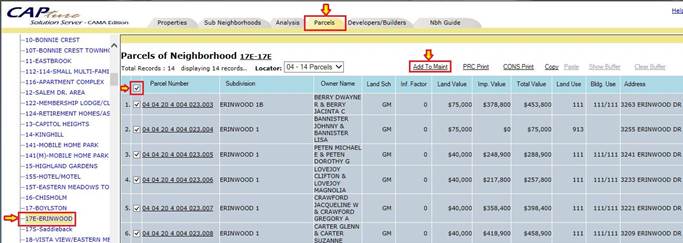
NBH Analyzer: This report is used by Supervisor Users to create Maintenance for that particular NBH. Under RATIO STUDY Tab -> NEIGHBORHOOD MODEL -> Dash Board.
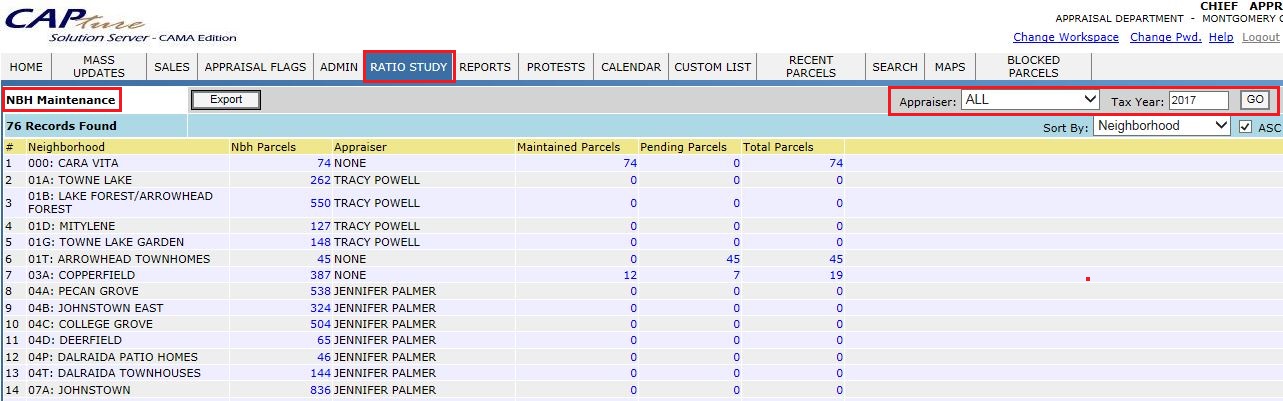
NBH Maintenance: This report shows a NBH’s maintenance for the respective User and Tax Year, aslo displays status of maintenance parcels. Under RATIO STUDY Tab -> NEIGHBORHOOD MAINTENANCE
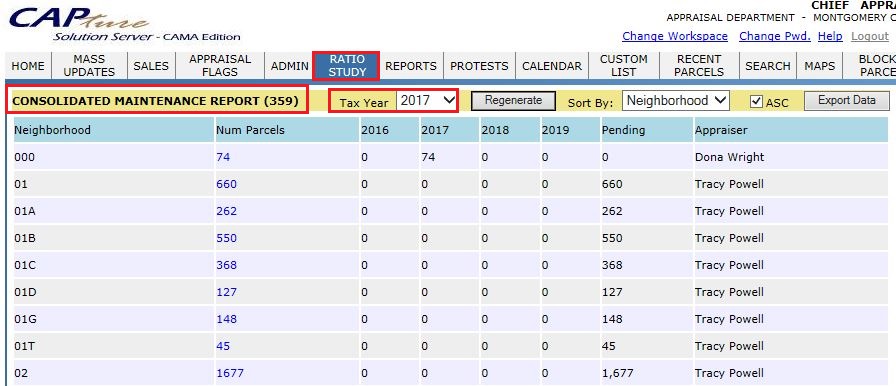
Maintenance Report: This report shows the Maintenance report with respective NBH and Tax Year. Under RATIO STUDY Tab -> MAINTENANCE REPORT.
Maintenance Parcels: This report shows the created maintenance parcels with respective User, NBH based on Tax Year. Under RATIO STUDY Tab -> MAINTENANCE PARCELS.
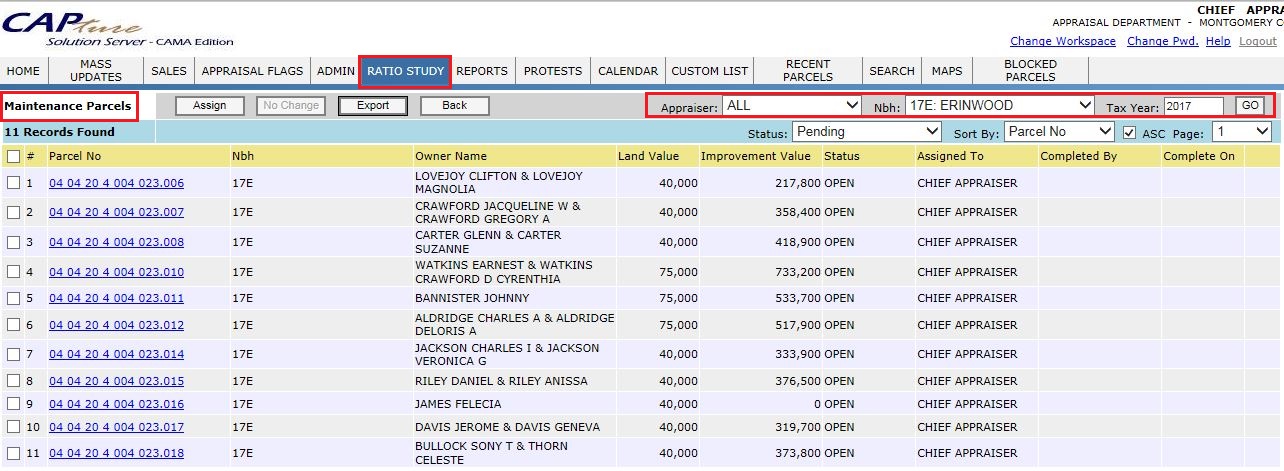
Field Visit Parcels: This report displays all kinds of Flags like Maintenance Flags, Permit Flags and Other Flags. Under RATIO STUDY ->FIELD VISIT PARCELS.
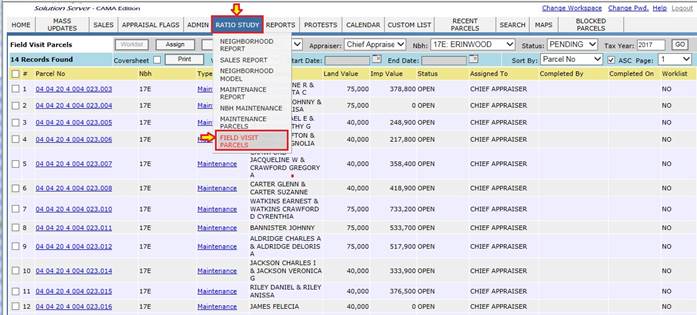
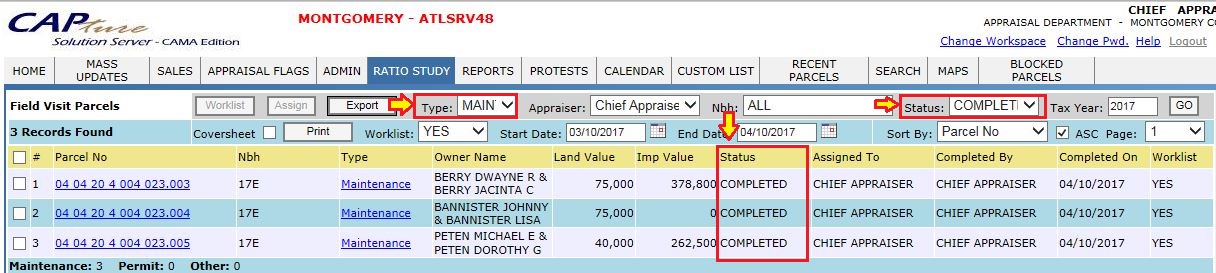
To check Maintenance completed report hover over RATIO STUDY -> FIELD VISIT PARCELS and select the respective Type-> Maintenance, User, Date, Status-> Completed and Tax Year.
Maintenance - Completed Report
Permit Processing
To check Permits completed report, hover over RATIO STUDY -> FIELD VISIT PARCELS and select the respective Type-> Permit, User, Date, Status-> Completed and Tax Year.
Permit Flags - Complete Report

-
Same procedure to find the Assessment Field Check report by selecting Type -> Others Flags.
-
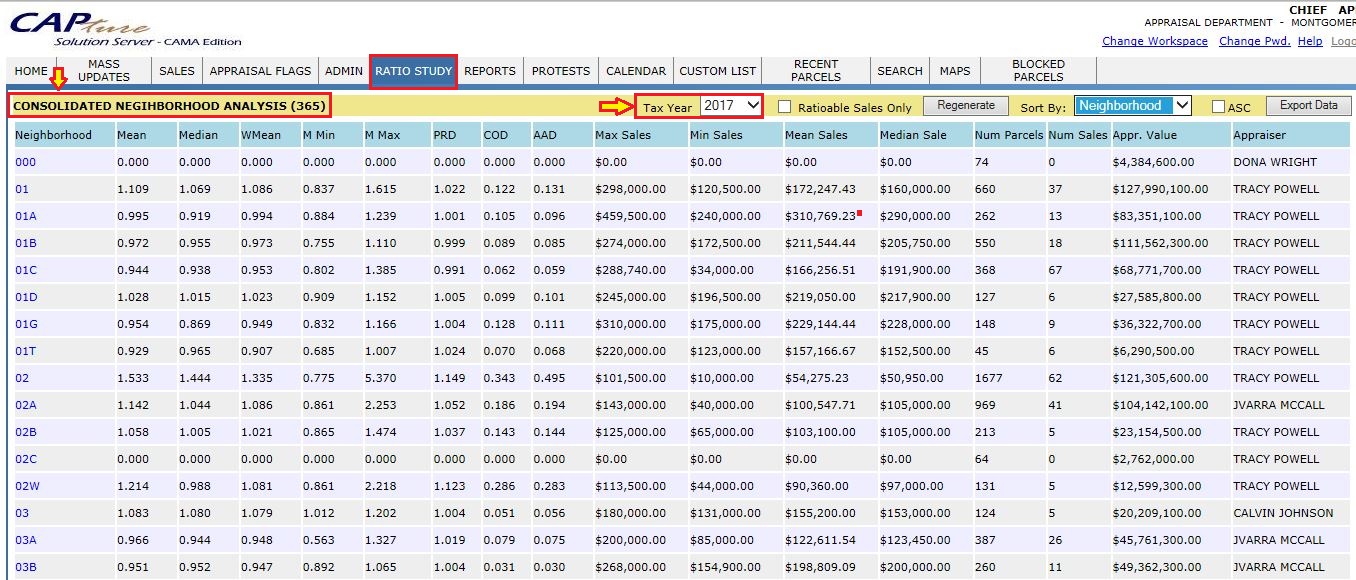
NBH Report: This report shows all the NBH Analysis with respective Tax Year. Under RATIO STUDY Tab -> NBH Report.

Confidential | Copyright © 2017 E-Ring, Inc.