



BOE Processing



Page Topics:
-
Reports
Reports
Reports to be verified in case of Informal Settlement:
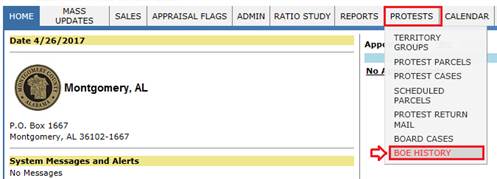
To create BOE header with respective tax year, hover over on PROTESTS -> BOE HISTORY used by Privileged user.
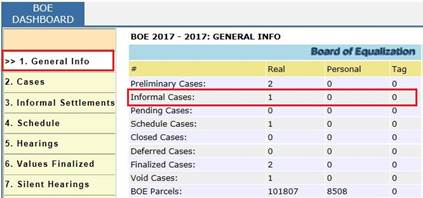
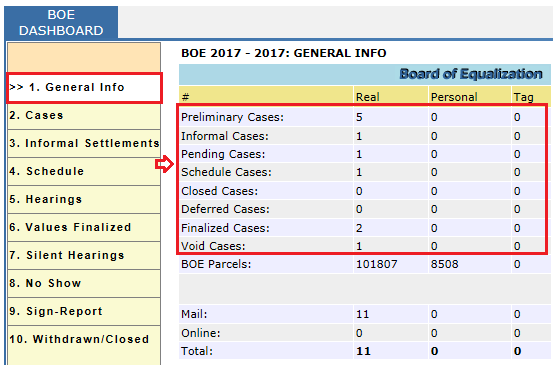
Privileged User can track the count of Informal cases in BOE Dashboard- General Info.
Privileged User can track the Informal Settlement cases using Status filter in BOE Dashboard - Cases.

Privileged User can track the Informal Settlement cases directly in BOE Dashboard – Informal Settlement.

Reports to verified during Schedule Hearing and Finalizing Values:
BOE Dashboard – Schedule tab, we can see the cases which has Scheduled by selecting Status filter as Scheduled.

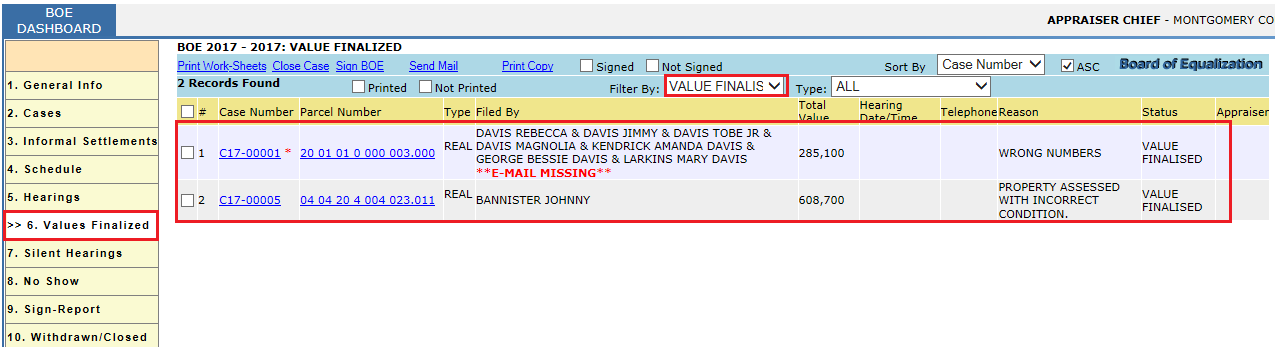
BOE Dashboard – Values finalized tab, we can see the cases which has Value Finalized by selecting Status filter as Value Finalized
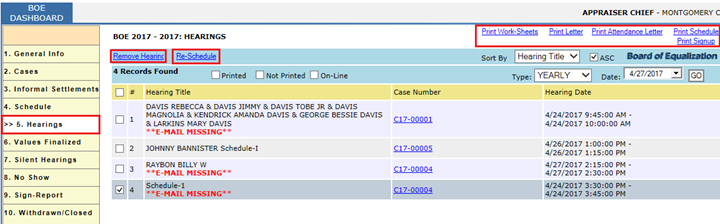
BOE Dashboard – Hearings tab, we can see the cases which are scheduled for Hearing.
To verify the number (count) of each case go to BOE Dashboard -> General Info

Confidential | Copyright © 2017 E-Ring, Inc.